Wednesday, 19 October 2011

Upgrading to Android 2.3.4


So, I've now upgraded my phone to 2.3.4, which wasn't nearly as scary or as difficult as I was expecting it to be. As well as allowing me to use the Android Open Accessory Kit to control the USB output, it has also significantly improved the performance of the phone, and the battery life, which was a bonus. This has come at a price however, since I used an unofficial upgrade (Samsung haven't yet released 2.3.4 for the Galaxy S2), I have invalidated my warranty. Oh well!

Next step will be getting to grips with the Arduino ADK prototyping kit I have ordered.

Wednesday, 12 October 2011

Rooting my Galaxy S2

Since Samsung haven't yet released the official Android 2.3.4 upgrade, I'm going to have to use an unofficial version, which means rooting my phone and changing the ROM. Luckily, rooting is pretty straight-forward (although it does invalidate my warranty!).

It only takes about 15 minutes in total, but I have to admit it's pretty nerve-wracking. I've bricked phones in the past, but none I've ever been particularly bothered about. Fortunately, this guide is excellent, and I had no problems at all.

So now I'm in possession of a rooted handset, my next step is finding and installing an unofficial upgrade.

Tuesday, 11 October 2011

First Apps - First beta

Having got to grips with the basics of most of the functions I want my final app to use, I combined them in a simple, single screen app.


The specification of my project has changed after a meeting with my supervisor. Initially it was to be a Satellite finder with a 3D GUI, somewhat similar to Google Sky Map, but it has now been decided to have the app control a motorised satellite dish. Android allows for USB control of accessories, but only with Android 2.3.4. Annoyingly, my handset (a Galaxy S2) is only 2.3.3, so I will either have to wait for the official release or root my handset.

First Apps - GPS

Although the network location is accurate enough for what I need, I decided to have a quick play with the GPS functions. Interestingly, it's possible to obtain your current speed and altitude using the methods. The altitude is taken with respect to the Geoid however, and is not particularly useful to most people.


The accuracy is low in this screenshot as it was taken indoors, but it is possible to get accuracy of within less than 1m outdoors. The timestamp is in Unix time, that is, milliseconds since Jan 1st, 1970.

First Apps - Location from network

The next step was to obtain the handset's location from the phone. This is achieved most easily by using the getLastKnownLocation() method. This gets the most recent location data stored on the handset, which is regularly updated by the network (using mast connection data, and possibly(?) the wifi data Google collected with their StreetView cars). It isn't as accurate as using GPS, it is usually a few hundred metres out, but it will be adequate for my purposes.


The code is available here.

First Apps - Accelerometer

Once happy with the compass, I started on the accelerometer app. The idea is to display the data received from the accelerometers textually and graphically.


I tried this using both the SensorManager.getOrientation() and the Sensor.TYPE_ACCELEROMETER methods. I found the latter worked better, as the former jumped from 180 to 0 degrees, which would cause problems later on. The code for this app is available here.

First Apps - Compass

The idea is to build my final app up from individual modules, starting with a Compass app, an accelerometer app, and location apps. The first few are pretty much completed.


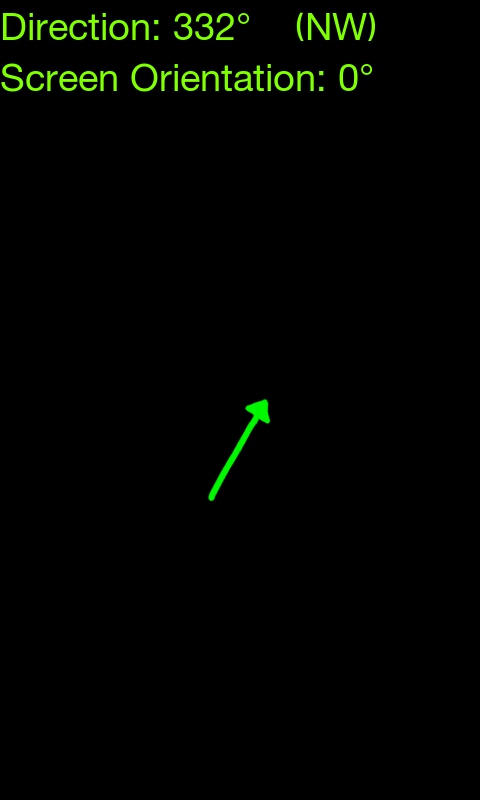
The above screenshots show the compass app. The arrow is rotated according to data received from the handset's magnetometer, and always points North. I used the getRotation() method from the Display class to adjust for different orientations. This means that when the handset is held in landscape mode (as I anticipate it will for most uses) the compass 'face' points out from the back of the phone, rather than the top where the magnetometer is actually situated.

The code is available here.

I have noticed how easily the compass is affected by outside sources, the magnet on its case causes particular problems. The compass is easily recalibrated by moving it in a figure of 8 shape in the air however.